
Podcasting is huge these days, but the idea of needing fancy equipment or a proper studio can be pretty intimidating. What if we told you that the device in your pocket right now could be all you need to start your own show? Yep, we’re talking about mobile podcasting – it’s shaking things up and making content creation accessible to just about anyone with a smartphone and something to say. This guide will show you how to record a podcast on your phone, making the process simple and straightforward.
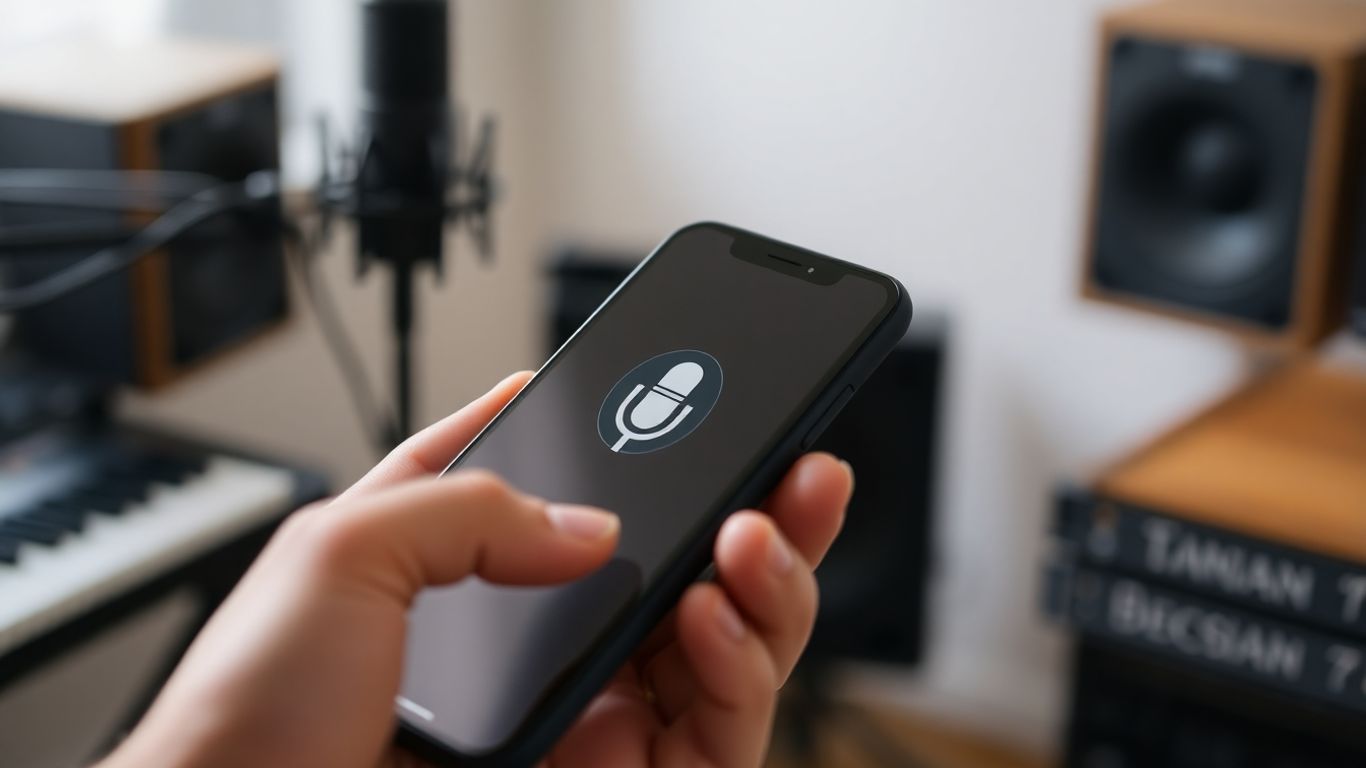
Alright, let’s talk about the brain of your podcast operation: the app you’ll use to capture your genius. Think of it as your digital microphone stand, but way cooler and less likely to fall over. You’ve got a smartphone, which is basically a mini recording studio in your pocket. The trick is picking the right software to make it sing.
For you iOS folks, Apple’s own Voice Memos is a solid starting point. It’s super simple, and if you’re prone to sudden bursts of brilliance (or just forgetful), it backs up to the cloud automatically. If you’re feeling a bit more adventurous and want to polish things up later, GarageBand is free and comes with templates that make you feel like a pro, even if you’re just mumbling into your phone. For those who want to get serious about editing right on their device, Ferrite Recording Studio (it has a free version!) is a fantastic option with features like strip silence and chapter markers.
Android users, don’t you worry, you’re not left out in the cold! Dolby On is a real gem for boosting audio quality. It’s got this magic trick of reducing background noise, so even if you record next to a busy street, your listeners might think you’re in a soundproof booth. If you’re looking for an all-in-one solution that lets you record, edit, and even host your podcast without jumping between apps, Spotify for Podcasters (formerly Anchor) is a popular choice. It’s pretty straightforward and even has ways to make a few bucks.
Remember, the best app is the one you’ll actually use. Don’t get bogged down in features you don’t need. Start simple and upgrade if you feel the need.
Here’s a quick rundown of some popular free options:
No matter which you choose, make sure you’ve got enough storage space. Audio files can be surprisingly chunky, and you don’t want your recording to cut out because your phone is full of blurry selfies. You can find some great tips on cybersecurity podcasts if you’re worried about your digital footprint keeping up with the latest.
So, pick one, download it, and let’s get ready to make some noise!
Alright, let’s talk about making your phone sound less like a tin can and more like a podcasting pro. You don’t need a fancy studio, but a little bit of thought goes a long way. First off, find the quietest spot you can. Seriously, that corner of your closet with all the clothes? Perfect. Those soft fabrics are like magic for soaking up echo. If the closet is a no-go, try a room with carpets, curtains, or even a pile of blankets. Anything to stop that sound from bouncing around like a ping-pong ball.
Next, let’s get your phone sorted. Put that bad boy in Airplane Mode! Nobody wants their epic monologue interrupted by Aunt Carol asking if you’ve seen her cat. Plus, it stops those annoying notifications from popping up and messing with your audio. While you’re at it, make sure you’ve got enough storage space. Recording takes up room, and running out mid-sentence is just… sad. Also, if you’re recording video, prop your phone up so it’s stable. A wobbly camera is distracting, and nobody wants to watch a podcast that looks like it was filmed during an earthquake. You can grab a cheap tripod or even just stack some books. It’s all about stability.
Think of your recording space as your sound’s cozy blanket. The softer and more absorbent, the better. Avoid hard, flat surfaces like bare walls or tabletops, as they’ll just reflect sound back into your mic, making everything sound tinny and distant.
Here are a few things that can really help, even on a budget:
Don’t forget about lighting if you’re filming. Natural light from a window is your best friend. Just try not to have it directly behind you, or you’ll end up looking like a silhouette. Aim for soft, even light. You can find some decent ring lights online that aren’t too pricey and make a big difference for your video quality.
Alright, let’s talk about actually planning what you’re going to say. Think of this as your podcast’s roadmap. Without one, you’ll probably end up rambling like I do after my third cup of coffee. For every hour of finished podcast gold, you’re looking at spending about 3 to 4 hours prepping. Yeah, it sounds like a lot, but trust me, it’s worth it.
Here’s a basic breakdown to get you started:
A good episode often follows a simple flow: state your goal, explain the problem you’re tackling, deliver the goods (your content!), give them a takeaway, and then wrap it all up nicely. It’s like telling a story, but with more microphones and less dramatic music.
Remember, a solid podcast structure makes editing way easier and keeps your audience engaged. Don’t skip this step, or you might end up with a podcast that’s all over the place. And nobody wants that, especially not you.
Alright, you’ve picked your app, you’ve got your setup sorted (or at least you’re winging it, which is also fine). Now for the main event: hitting that record button! It sounds simple, and honestly, it kind of is. Just remember to take a deep breath and try not to sound like you’re reciting a grocery list.
First things first, do a quick sound check. Record a few seconds of yourself talking, maybe humming a little tune, or just making some random noises. Play it back. Does it sound like you’re in a tin can? Are there weird echoes? If so, maybe move that towel you strategically placed earlier or try a different spot in the room. The goal here is to sound clear, not like you’re broadcasting from the bottom of a well.
When you’re ready to roll, tap that record button. Keep an eye on your audio levels if your app shows them. You don’t want the little bars to go all the way into the red – that’s called clipping, and it sounds like a digital scream. If it happens, just back off the mic a bit or lower your voice.
Here are a few pointers to keep in mind while you’re laying down those sweet, sweet audio tracks:
Remember, your first few recordings might feel a bit awkward. That’s totally normal. Just keep practicing, and you’ll get the hang of it. Think of it as a workout for your voice and your tech skills. You’ve got this!
Okay, let’s talk about making your voice sound less like it’s coming from inside a tin can. Your phone’s built-in mic? It’s fine for ordering pizza, but for a podcast? Not so much. An external microphone is probably the single best upgrade you can make. It’s like going from a blurry flip-phone photo to a crisp DSLR shot.
There are a couple of main types to consider:
Now, you might be thinking, “Do I really need this?” Look, you can start with just your phone. But if you want your listeners to stick around and not get annoyed by echo or street noise, a decent mic makes a world of difference. It doesn’t have to cost a fortune, either. Even a $20 mic will sound way better than what’s already in your phone.
Remember, your listeners are tuning in to hear you, not the dog barking next door or the hum of your refrigerator. A good mic helps them focus on your brilliant ideas.
Don’t forget adapters! Newer phones, especially iPhones and some Androids, might need a little help to connect a standard microphone. You’ll likely need a Lightning to 3.5mm adapter or a USB-C adapter. Check what your phone has and what your mic needs – it’s usually a pretty straightforward connection.
Alright, let’s talk about headphones. You might be thinking, “Do I really need these fancy things? My phone’s speaker works just fine!” Well, maybe for a quick grocery list, but for a podcast? Not so much.
Think of headphones as your podcasting superpower – they let you hear what your audience will hear, in real-time. Without them, you’re basically recording blindfolded. You won’t catch that annoying background hum, the weird echo in your room, or if your co-host is mumbling like they’ve got a mouth full of marbles.
Here’s why they’re your new best friend:
What kind of headphones? For podcasting, you’ll want closed-back headphones. These are the ones that cover your whole ear and have a solid cup on the back. They’re great at blocking out external noise and, more importantly, preventing sound from leaking out and messing with your recording. You don’t need the most expensive ones out there, but avoid those tiny earbuds if you can. Something like Audio-Technica’s M-Series or even a decent pair of Sony MDRs will do the trick nicely. Just make sure they plug into your phone or your adapter, and you’re golden.
Okay, so you’ve got your mic, maybe even a fancy external one. Now, let’s talk about the unsung hero of clear vocals: the pop filter. Ever heard a podcast where someone’s ‘P’s and ‘B’s sound like tiny sonic explosions? Yeah, that’s plosives, and they’re the bane of any podcaster’s existence. A pop filter is basically a shield that goes between your mouth and the microphone. It diffuses those harsh bursts of air, making your voice sound smoother and way more professional. Think of it as a bouncer for your audio, stopping the rowdy plosives from crashing the party.
There are a few types, but the most common is the round, mesh kind that clamps onto your mic stand. You can also get them that attach directly to the mic itself. Some mics even have them built-in, which is pretty neat. For mobile recording, you might find clip-on versions that attach to your phone’s mic or a separate external mic. It’s a small addition, but it makes a huge difference in the final sound. You can grab a decent one for not much cash, and honestly, it’s one of the easiest ways to level up your audio quality without needing a degree in sound engineering. This pop filter is designed to reduce pops from vocal plosives, making it ideal for voice-over and narration work. It offers a more transparent sound than foam windscreens and features rubber O-rings to ensure it stays securely in place on-axis.

Okay, so you’ve got your mic situation sorted, maybe even a fancy external one. But what if you’re going full-on podcast producer and want to hook up multiple microphones, or maybe some more professional gear? That’s where an audio interface swoops in, like a superhero for your sound waves.
Think of it as a translator and traffic cop for your audio. It takes the signals from your microphones (or other gear) and converts them into a digital format your phone can understand. Plus, it often gives you better control over the sound levels for each input. This is the gadget that separates the casual podcasters from the ones who sound like they’re broadcasting from a professional studio.
Do you need one to start? Probably not. Most phones can handle a single external mic just fine. But if you’re planning on having guests in the same room, each with their own mic, or if you’re looking to connect instruments or other audio sources, an interface becomes pretty darn useful. It helps prevent that chaotic “everyone’s talking at once and it sounds like a mess” situation. It’s all about giving you more power and flexibility over your audio setup, making sure each voice comes through loud and clear, without clipping or weird hums. It’s a bit more gear, sure, but for a cleaner, more controlled sound, it’s worth considering if you’re serious about upping your podcast game.
Alright, let’s talk about making your podcast look as good as it sounds. You don’t need a Hollywood studio, but paying a little attention to your surroundings can make a big difference. Think of it like this: would you rather listen to someone talking in a dark, echoey cave or a cozy, well-lit room?
First off, lighting. If you’re recording video, natural light is your best friend. Position yourself facing a window, but not so close that you’re squinting. If you’re recording at night or your window situation is less than ideal, a simple desk lamp or even a ring light can work wonders. Just try to avoid harsh overhead lights that cast weird shadows. You want to look like you’re having a pleasant chat, not undergoing an interrogation.
As for your background, keep it simple. A clean wall, a bookshelf, or even a nicely arranged corner of your room is perfect. Avoid busy or distracting backgrounds that pull attention away from you. If your room has a lot of hard surfaces, it might sound a bit echoey. You can fix this by adding soft things like blankets, pillows, or even hanging up some thick curtains. Seriously, a few strategically placed blankets can work wonders for sound quality. It’s like giving your podcast a little audio hug.
Alright, you’ve wrangled your audio into submission. Now comes the fun part: making it sound less like you recorded it in a tin can and more like, well, a podcast. Don’t worry, you don’t need a fancy studio or a degree in audio engineering. Most podcast apps, including the one you probably used to record, have built-in editing tools that are surprisingly capable. Think of it like digital scissors and glue for your voice.
Your main goals here are pretty straightforward. First, you want to get rid of any embarrassing stumbles, those “ums” and “uhs” that make you sound like you’re searching for a lost sock. You’ll also want to trim the beginning and end of your recording – nobody needs to hear your dramatic “Okay, rolling!” or your post-recording sigh of relief. The key is to make it sound smooth and professional without sounding too polished. Nobody wants to listen to a robot, right?
Here’s a quick rundown of what you’ll likely be doing:
Remember, the goal isn’t perfection, it’s clarity and flow. A little bit of editing goes a long way, but overdoing it can make your podcast sound unnatural. Aim for that sweet spot where it’s easy to listen to and keeps people engaged.
If you’re feeling adventurous and want to take things up a notch, there are more advanced apps out there. Tools like Audacity (which is free!) or GarageBand offer more control, letting you play with sound effects and really fine-tune things. But for starting out, the basic tools in your recording app are usually more than enough to get a great-sounding episode ready for the world. You can find some helpful tips on polishing your audio by checking out this guide on editing features.
Alright, you did it! You wrestled your phone into submission and recorded a podcast. Give yourself a pat on the back, maybe a high-five if you’re feeling ambitious. Remember all those fancy studios and microphones? Yeah, you can forget about them for now. You just proved that all you really need is a phone and something to say. Now go forth and share your brilliance with the world – or at least with your mom and that one friend who actually listens. And hey, if you want to make it sound even slicker, check out the desktop version of [App Name] – it’s like magic for making your voice sound less like you’re talking into a tin can. Happy podcasting!
Absolutely! Your phone has a pretty good microphone built-in. If you find a quiet spot and speak clearly, you can get some really decent recordings. For even better sound, you can use headphones with a built-in mic or even get a small external microphone that plugs into your phone.
The simplest way is to use a voice recording app that’s already on your phone, or download a free podcasting app. Just open the app, hit record, and start talking. Make sure you’re in a quiet place so background noise doesn’t mess up your recording.
Not at all! You can start with just your smartphone. If you want to improve your sound quality later, you can consider adding an external microphone or using headphones, but these aren’t required to begin. Many apps are free and work great.
To make your podcast sound more professional, try recording in a quiet room with soft things like carpets or curtains to stop echoes. Speaking clearly and at a consistent distance from your phone helps too. You can also use editing apps to clean up the sound after you record.
Don’t worry about small mistakes! You can pause for a couple of seconds and then just start the sentence over. This makes it much easier to edit out the mistake later. Most recording apps allow you to easily cut out parts you don’t want.
Yes, you can! Many podcast apps let you invite guests to record with you, even if they are in a different location. Some apps record each person’s voice separately, which makes editing much easier and helps ensure everyone sounds clear.
