Thinking about starting a podcast but not sure how much it’ll actually cost? You’re not alone. Lots of people wonder if they need a ton of fancy gear or if they can just wing it. The good news is, you don’t need to spend a fortune to get a great-sounding show out there. Whether you’re just doing it for fun or trying to build something bigger, there’s a setup that fits your wallet. This guide breaks down what you can expect to spend, from the absolute cheapest way to start to when you might want to splurge a bit more. We’ll look at gear, software, and all the little things that add up, so you can figure out how much does it cost to start a podcast for *you*.
So, you’ve got the itch to start a podcast. Awesome! But before you go buying a fancy microphone and a soundproof booth that looks suspiciously like a repurposed phone booth, let’s talk brass tacks. How much does this whole podcasting thing actually cost in 2026? The truth is, it’s a bit like asking how much a car costs – it can range from a used scooter to a brand-new supercar.
Look, technically, yes, you can start a podcast for free. If you’ve got a smartphone with a decent microphone (and let’s be honest, most of them do these days), you can record yourself talking. You can use free editing software like Audacity or GarageBand, and there are even free hosting platforms that will get your show out there. It’s the ultimate budget-friendly approach, perfect for dipping your toes in the water. However, ‘free’ often comes with limitations. Think less-than-stellar audio quality, limited storage space on hosting, and a general vibe that screams ‘hobbyist’ rather than ‘professional.’ It’s a great starting point, but don’t expect to win any audio awards right out of the gate.
If you’re ready to invest a little, but not your entire life savings, you can aim for the ‘bare bones’ setup. This is where you start to see a real difference in sound quality without emptying your wallet. We’re talking about a solid USB microphone that plugs right into your computer – no fancy interfaces needed. You might also grab a decent pair of headphones so you can actually hear yourself think (and edit). For hosting, you’ll likely move to a low-cost paid plan, which gives you more features and better analytics. This level is all about smart, affordable upgrades that make your podcast sound noticeably better.
This is where things start to get really interesting. The ‘sweet spot’ setup is for those who are serious about their podcast and want it to sound polished and professional. You’re looking at upgrading to an XLR microphone, which generally offers superior sound quality, but this means you’ll also need an audio interface or a small mixer to connect it to your computer. Think of this as the happy medium – you’re spending enough to get significantly better gear and software, but you’re not quite at the ‘renting a studio’ level yet. This setup is perfect for building a consistent audience and potentially exploring podcast monetization strategies.
Here’s a quick look at what you might expect at these different levels:
|
Level |
Estimated Cost |
Key Gear |
|---|---|---|
| Freebie | $0 – $50 | Smartphone, free editing software, free hosting |
| Bare Bones | $100 – $300 | USB Microphone, basic headphones, low-cost hosting |
| Sweet Spot | $300 – $800 | XLR Microphone, audio interface, better headphones, paid hosting |
Remember, these are just ballpark figures. You can often find great deals, especially if you’re willing to buy used or wait for sales. The most important thing is to start somewhere and upgrade as you grow.
Alright, let’s talk about the stuff you actually need to make some noise. You’ve probably seen those fancy setups online and thought, “Whoa, do I really need all that?” The short answer is: probably not, at least not yet. But the gear you choose can make a big difference in how your podcast sounds, so it’s worth giving it some thought.
This is where the magic (or the muddle) happens. Your voice is the star, and the microphone is its spotlight. You’ve got options, ranging from what’s already in your pocket to something that looks like it belongs in a recording studio.
Don’t underestimate the power of good headphones. They’re not just for listening to your awesome content; they’re your ears during recording. They help you catch background noise, weird echoes, or that annoying hum you didn’t notice before. You don’t need to break the bank here, but don’t use those old earbuds with the frayed wire either.
These might seem like small potatoes, but they can really polish your sound and make your recording life easier.
Remember, the goal is to sound clear and professional without making your setup a complicated mess. Start with what you can afford and what makes sense for your current needs. You can always upgrade later when you’re ready to level up your podcast.
Here’s a quick look at potential costs:
|
Item |
Budget Option |
Mid-Range Option |
Pro Option |
|---|---|---|---|
| Microphone | $0 – $50 | $100 – $300 | $300+ |
| Headphones | $0 – $20 | $50 – $150 | $150+ |
| Mic Stand/Boom Arm | $0 – $15 | $20 – $100 | $100+ |
| Pop Filter | $0 – $5 | $10 – $30 | $20+ |
| Total (Approx.) | $0 – $90 | $180 – $580 | $570+ |
Alright, so you’ve got your mic situation sorted (or at least you’re thinking about it). Now, where does all that glorious audio actually live, and how do you make it sound less like you recorded it in a tin can? Let’s talk software and hosting, the unsung heroes (and sometimes villains) of podcasting.
Think of editing software as your digital sound-sculpting clay. You can get started with some pretty decent free options, or you can go full-on Hollywood with the paid stuff. For beginners, Audacity is the old reliable. It’s free, it’s powerful, and it’s been around forever. If you’re on a Mac, GarageBand is also a fantastic free starting point, surprisingly capable for making your audio sound polished.
But what if you want more? Maybe you’re tired of wrestling with Audacity’s interface, or you want features like automatic leveling or transcription built right in. That’s where the paid software comes in. Descript is a game-changer for many because you edit audio by editing the text transcript – wild, right? It’s got a learning curve, but it can seriously speed things up. Then there’s Adobe Audition, which is the professional standard. It’s got all the bells and whistles, but it’ll cost you a monthly fee as part of the Adobe Creative Cloud. It’s overkill for most new podcasters, but good to know it’s out there.
Here’s a quick peek at what you might be looking at:
|
Software |
Cost |
Best For |
|---|---|---|
| Audacity | Free | Beginners, basic editing |
| GarageBand | Free (macOS) | Mac users, easy-to-use editing |
| Descript | Starts ~$10/mo | Editing via transcript, quick workflows |
| Adobe Audition | ~$21/mo | Professionals, advanced audio manipulation |
You can’t just upload your MP3 files directly to Spotify, unfortunately. You need a podcast host. Think of them as the landlord for your audio files. They store your episodes, give you a special link (an RSS feed), and send that link out to all the podcast directories like Apple Podcasts, Spotify, Google Podcasts, and so on. This is not an area to skimp on if you want your show to be found.
Most hosts charge a monthly fee based on how much storage you need or how many downloads you get. Some popular ones include:
The key here is to find a host that offers reliable service, good analytics to see who’s listening, and makes it easy to distribute your show everywhere. Don’t just go for the cheapest option; your podcast’s reach depends on it.
While not strictly required to launch, having a dedicated website for your podcast is a smart move. It’s your home base on the internet. You can put show notes there, share extra content, build an email list, and just generally look more professional. You’ll need a domain name (like yourpodcastname.com) and a place to host your website. Many podcast hosts offer basic website builders, or you can go with dedicated website builders like Squarespace or WordPress. Expect to spend anywhere from $10 to $30 per month for a decent website setup, plus the cost of your domain name (usually around $10-$20 per year).
Alright, let’s talk about making your podcast look as good as it sounds. Because let’s be honest, nobody wants to click on something that looks like it was designed by a toddler with a crayon. But don’t worry, you don’t need to sell a kidney to get some decent visuals. We’re talking about making your podcast pop without emptying your wallet.
Your podcast cover art is like the book cover of your audio show. It’s the first thing people see when they’re scrolling through a sea of other podcasts. A good one grabs attention, a bad one makes people scroll right on by. You want your cover art to scream “Listen to me! I’m awesome!”
So, how do you get this magic without spending a fortune? You’ve got a few options:
Remember, consistency is key. Whatever you create, make sure it fits the vibe of your show. Is it serious? Funny? Quirky? Your cover art should hint at that.
Ever notice how some podcasts just feel more professional because they have that catchy intro music? It’s like a little sonic handshake with your listeners. And an outro? It’s your chance to leave them with a final thought or a call to action. Don’t just fade out with awkward silence!
Here’s the lowdown on getting your podcast jingles:
Think about the mood you want to set. Upbeat and energetic? Calm and thoughtful? Pick music that matches.
So, you’re thinking about adding video to your podcast? Smart move! Platforms like YouTube are huge, and having a video version can snag you a whole new audience. But, like anything, it can cost money.
If you’re just starting, focus on nailing the audio first. You can always add video later when you’ve got a bit more cash and a better handle on things. Don’t let the idea of video production stop you from launching your podcast. Start with audio, and grow from there!
Making your podcast look good doesn’t have to break the bank. With smart choices for cover art and music, you can create a professional-looking brand without spending a fortune. Think of it as an investment in making a great first impression.
So, you’ve got your mic, your software, and you’re ready to rock. But wait, are we really done? Nope! There are a few sneaky costs that can creep up on you, the kind you might not think about until you’re knee-deep in episode production. Think of these as the “oops, I forgot!” expenses – they’re not always mandatory, but they can seriously level up your podcast game or just make your life a whole lot easier.
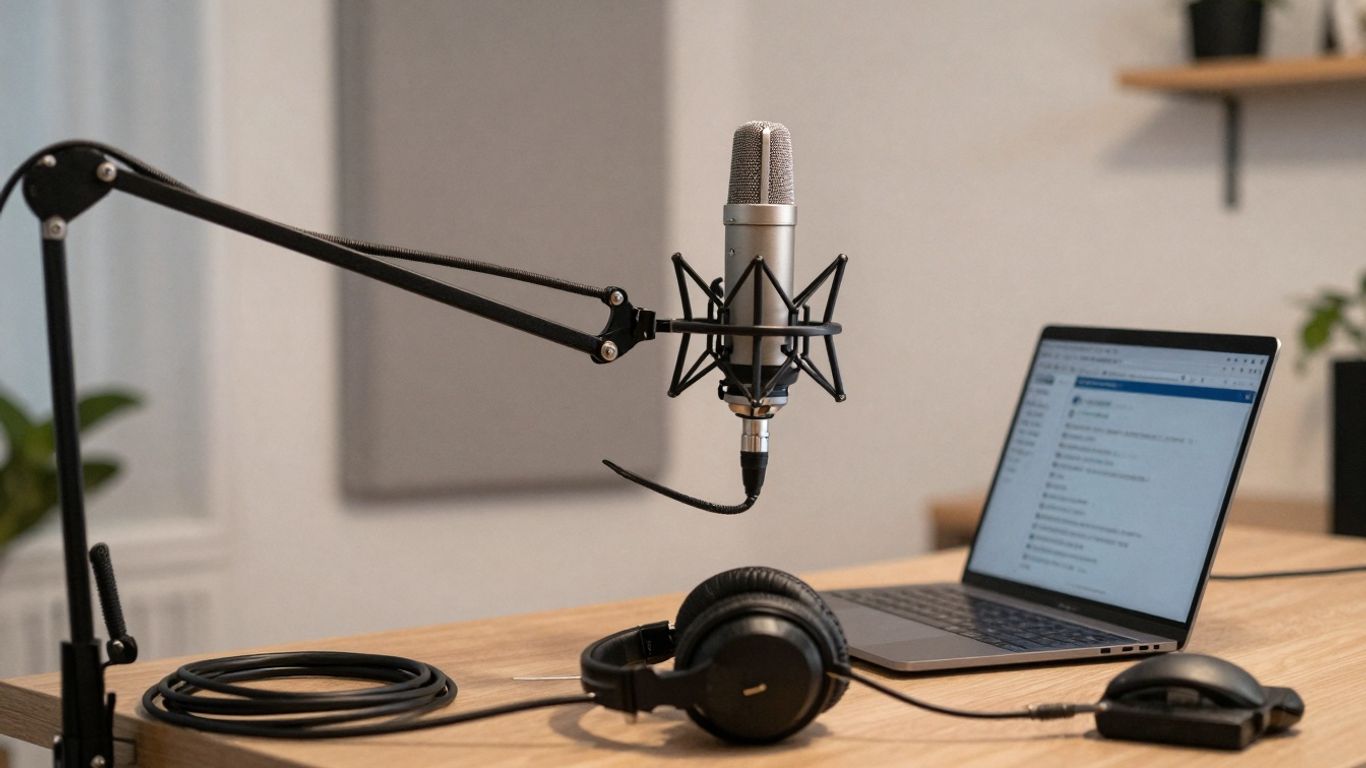
Ever listen back to your recording and hear your own voice echoing like you’re in a giant empty warehouse? Yeah, that’s not ideal. While you can pile up blankets and hope for the best (and hey, sometimes that works!), true sound treatment is a different beast. It’s about controlling reflections and making your audio sound clean and professional, not like it was recorded in a tin can. You don’t need a full studio setup right away, but even some basic acoustic panels can make a world of difference. Prices can range from DIY solutions that cost next to nothing to professional foam panels that might set you back a few hundred bucks. It really depends on how much echo you’re battling.
Transcripts are like the unsung heroes of podcasting. They make your show accessible to folks who are hard of hearing, people who prefer reading, and even those who just want to quickly scan for information. Plus, search engines love them, which can help more people find your amazing content. You can go the DIY route and transcribe yourself (which takes ages), use automated services that are pretty good but not perfect, or hire a professional transcriptionist for top-notch accuracy. Automated services can cost around $8 a month, while professional services might charge $1 per minute of audio. It’s a trade-off between time, money, and accuracy.
Okay, so you’ve made a fantastic podcast. Now what? You gotta tell people about it! This is where marketing comes in, and it can be a black hole for your budget if you’re not careful. Think social media ads, maybe some sponsored posts on other podcasts, or even just investing in some cool promotional graphics. You can start small with organic social media posts, but if you want to reach a wider audience faster, you’ll likely need to spend some cash. It’s a balancing act – you want to grow your audience, but you don’t want to spend more on marketing than you’re making (especially at the start!).
Remember, these aren’t always upfront costs. Some are ongoing, like monthly subscriptions for marketing tools or hosting. Others are one-time purchases, like a batch of acoustic foam. It’s wise to budget for these as you go, rather than being surprised when they pop up. You might also want to budget for royalty-free music to add a professional touch to your episodes; sites like Free Music Archive offer a good starting point for finding tracks without breaking the bank.
Alright, so you’ve been at this podcasting thing for a while. You’ve got a decent setup, maybe even a small but mighty following. Now you’re thinking, “How can I make this sound like it’s coming from a million-dollar studio?” This is where we talk about going from “pretty good” to “absolutely stellar.” It’s time to ditch the beginner gear and invest in equipment that screams professionalism. Think of it as upgrading from a bicycle to a sports car – same destination, but way more power and style.
If you’ve been using a USB mic, you’ve probably hit a ceiling. Time to enter the world of XLR microphones. These bad boys connect via an XLR cable (that’s the chunky, three-pin one) and require an audio interface or mixer to work. Why bother? XLR mics often offer superior sound quality, more control, and a wider range of professional options. You’re looking at mics like the Shure SM7B or the Electro-Voice RE20 – these are industry standards for a reason. They handle loud sounds like a champ and give you that rich, broadcast-ready tone. Expect to spend anywhere from $300 to $500, sometimes more, for a truly top-tier mic. It’s a significant jump, but the audio difference is night and day.
Since you’re going XLR, you need something to plug those mics into. This is where an audio interface or a mixer comes in. An audio interface is generally simpler, acting as a bridge between your mic and your computer. A mixer, on the other hand, gives you more hands-on control with physical knobs and faders, and often allows for more inputs. For a solo podcaster or a duo, a good two-channel audio interface like the Focusrite Scarlett 2i2 (which is a step up from the mid-range option) is fantastic. If you’re planning on having multiple guests in the room or want more creative control over your sound on the fly, a dedicated podcast mixer like the RODE Rodecaster Pro II is a game-changer. These can range from $200 for a solid interface to $700 or more for a feature-rich mixer. It’s the command center for your audio.
Your headphones are no longer just for listening; they’re for critical monitoring. When you’re spending big on mics and interfaces, you need headphones that reveal every nuance, every pop, every hiss. Think Sennheiser HD 280 Pro or Beyerdynamic DT 770 Pro. These are built for accuracy, not just comfort, and will set you back around $100 to $300. But the real magic for pro-level sound often happens before the mic even picks anything up. We’re talking about sound treatment. Forget blankets and egg cartons. We’re talking acoustic foam panels, bass traps, and maybe even a portable vocal booth. This is how you eliminate echo and reverb, making your recordings sound like they were done in a professional studio. This can easily add another $200 to $500+ to your budget, but it’s what separates a good podcast from a great one. Investing in quality podcasting equipment for 2026 is key here.
Remember, going pro isn’t just about buying the most expensive gear. It’s about understanding how each piece contributes to the final sound and making informed choices that fit your specific podcasting needs. It’s an investment, sure, but one that pays off in listener experience and your own creative satisfaction.
Thinking about upgrading your podcast gear? When you’re ready to invest in top-notch equipment that makes your show sound amazing, we’ve got you covered.
Alright, so you’ve waded through all the gear talk, the software mumbo jumbo, and the hosting headaches. The big takeaway here? You don’t need to sell a kidney to start a podcast in 2026. Seriously. You can totally kick things off with what’s already in your pocket (hello, smartphone!) and some free software. It might not sound like a Grammy-winning album right away, but hey, it’s a start! As you get more into it, you can slowly upgrade your setup, maybe snagging a decent mic or some better headphones when you’ve saved up a bit. Think of it like building a LEGO castle – start with the basic bricks and add the cool turrets later. The most important thing is just to hit record and get your voice out there. Now go forth and podcast, you magnificent audio wizard!
Absolutely! You can totally kick off a podcast using just your smartphone or computer’s built-in microphone. There are also free apps like Audacity or GarageBand for editing, and platforms like Spotify for Podcasters offer free hosting. It might not sound like a pro studio right away, but it’s a great way to get started and see if you enjoy it.
If you’re going to spend money on anything, make it your microphone. A decent microphone makes a huge difference in how your podcast sounds. Even a good USB microphone in the $50-$150 range can be a massive upgrade from your computer’s mic.
Hosting fees can vary. You can find free options that work for beginners, but they often have limits. Paid hosting usually ranges from about $5 to $30 per month. This typically gives you more storage space, better analytics, and more features to help your podcast grow.
Not at all! For simple editing, free software like Audacity (for Windows and Mac) or GarageBand (for Mac) works perfectly well. They let you cut out mistakes, add music, and balance sound levels. As you get more serious, you might look into paid options, but they aren’t necessary to start.
Your cover art is like your podcast’s first impression! You can create something yourself using free tools like Canva, which is totally fine when you’re starting out. If you want something more professional, you can hire designers on sites like Fiverr or Upwork for anywhere from $20 to $100, or sometimes more for a really custom design.
Besides the obvious equipment and hosting, don’t forget about things like intro/outro music (you can find free options or pay for licensed tracks), website hosting if you want a dedicated site, and maybe transcription services to make your podcast accessible to more people. Marketing, like running ads, can also add up if you choose to go that route.
